How to prevent malicious code is a critical concern for website owners, bloggers, and developers in today’s digital landscape, where cyber threats evolve rapidly and can compromise site integrity, user data, and reputation.Whether you’re running a personal blog or a business site on platforms like WordPress, understanding how to prevent malicious code involves implementing layered defenses, regular maintenance, and proactive monitoring.
This guide synthesizes expert insights from reputable sources, offering detailed strategies to fortify your online presence while adding perspectives on emerging risks and practical implementations.
Understanding the Threat of Malicious Code
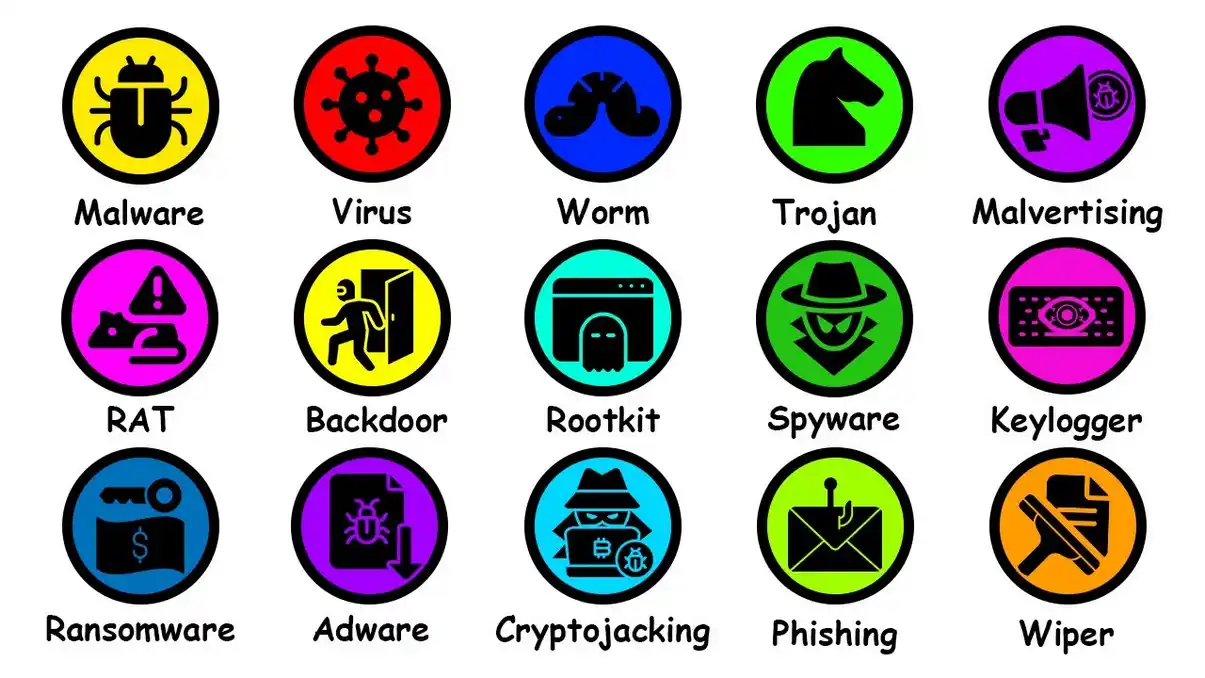
Before diving into prevention, it’s essential to grasp what malicious code entails. This includes viruses, backdoors, spam injections, and code exploits that hackers use to hijack sites, redirect traffic, or steal information.
For instance, threats often exploit vulnerabilities in plugins or directories, leading to unauthorized access or content manipulation. Recognizing these risks is the first step in how to prevent malicious code effectively.
Common Entry Points for Malicious Code
Malicious code frequently enters through outdated software, weak credentials, or misconfiguration. On WordPress sites, for example, hackers target the “mu-plugins” directory—a hidden area not visible in the admin dashboard—to insert rogue PHP files that enable redirects, spam injection, or image hijacking.
These scripts can detect bots to evade search engine penalties, making detection tricky. Additional perspectives highlight that email attachments, phishing links, and third-party integrations serve as gateways, emphasizing the need for holistic security.
Core Strategies on How to Prevent Malicious Code
To address these vulnerabilities, adopt a multi-faceted approach. The following sections outline proven methods, drawing from cybersecurity best practices.
Keep Software and Plugins Updated
One foundational way to prevent malicious code is through timely updates. Outdated plugins and themes are prime targets for exploits, as seen in recent vulnerabilities like arbitrary SQL execution or remote code execution in popular WordPress tools.
Regularly patching these closes security gaps, reducing the risk of injection attacks.
Best Practices for Updates
- Schedule automatic updates where possible, but test them in a staging environment to avoid breaking site functionality.
- Monitor for zero-day vulnerabilities and apply patches immediately. For WordPress users, this means checking the plugin repository frequently.
- From an additional angle, consider the impact on performance: Updates not only enhance security but also improve site speed and compatibility, providing dual benefits.
Implement Strong Authentication and Access Controls
Weak passwords are a common weakness, allowing brute-force attacks that lead to malicious code insertion. Enforce complex passwords, combining uppercase, lowercase, numbers, and symbols, and mandate changes every few months.
Enhancing Authentication
- Enable two-factor authentication (2FA) for all admin accounts to add an extra layer of verification.
- Limit login attempts to thwart automated attacks. Tools like WordPress security plugins can automate this.
- A nuanced perspective: In shared hosting environments, restrict file permissions (e.g., 644 for files, 755 for directories) to prevent unauthorized modifications, ensuring even if one account is compromised, the damage is contained.
Deploy Web Application Firewalls and Monitoring Tools
A Web Application Firewall (WAF) acts as a shield, filtering malicious traffic before it reaches your site. This is crucial for blocking code injections and exploit attempts.
Choosing and Configuring a WAF
- Opt for cloud-based WAFs like those integrated with hosting providers for ease of use.
- Combine with real-time monitoring to detect anomalies, such as unusual file changes in hidden directories.
- Additional insight: For blogs, integrate free tools like Sucuri or Cloudflare, which offer malware scanning alongside firewall protection, making it accessible for non-technical users.
Conduct Regular Audits and Vulnerability Assessments
Routine code audits are vital in how to prevent malicious code, especially for identifying hidden threats like backdoors in plugin directories.
Perform manual reviews or use automated scanners to spot suspicious PHP scripts or JavaScript injections.
Audit Techniques
- Scan for specific red flags, such as files masquerading as legitimate updates but redirecting to scam sites.
- Use penetration testing to simulate attacks, uncovering weaknesses before hackers do.
- Perspective from enterprise views: For larger sites, outsource to managed services that provide 24/7 monitoring, ensuring continuous vigilance without in-house expertise.
Leverage AI-Driven Endpoint and Network Protection
Advanced threats require advanced defenses. AI-powered tools can predict and block malicious code by analyzing behavior patterns.
AI Tools in Action
- Endpoint solutions like those using machine learning detect and isolate threats on devices accessing your site.
- Network firewalls with AI offer visibility into IoT devices, preventing lateral movement of code.
- Nuanced addition: In blog contexts, this extends to protecting against drive-by downloads, where visitors inadvertently infect their systems, indirectly harming your site’s reputation.
Secure Email and Third-Party Integrations
Email is a primary vector for malicious code, often delivering phishing lures that lead to site compromises. Secure it with filters that scan attachments and links.
Managing Third-Party Risks
- Vet plugins and themes from trusted sources only, avoiding nulled or pirated versions.
- Use risk management tools to assess vendor security, prioritizing issues based on severity.
- Broader perspective: For bloggers collaborating with affiliates, implement sandboxing for third-party scripts to isolate potential threats.
Foster User Awareness and Training
Human error often amplifies risks, so educating your team or yourself is key in how to prevent malicious code.
Training Programs
- Run phishing simulations to build recognition skills.
- Encourage safe browsing habits, like avoiding suspicious links.
- Additional angle: For solo bloggers, join online communities for shared threat intelligence, turning prevention into a collaborative effort.
Advanced Perspectives on How to Prevent Malicious Code
Beyond basics, consider emerging trends. AI-driven ransomware like PromptLock highlights the need for offline backups and zero-trust models, where nothing is trusted by default. Integrate managed cybersecurity services for SMBs, offering scalable protection without high costs.
This approach not only prevents code but also ensures quick recovery, minimizing downtime.
Backup and Recovery Planning
Regular, encrypted backups stored offsite are a lifeline. Test restores periodically to confirm viability.
Integrating Backups with Prevention
- Automate backups before major updates.
- Perspective: In the context of blog websites, this preserves content integrity, allowing rollback if code infiltrates.
Conclusion: Building a Resilient Defense
Mastering how to prevent malicious code requires ongoing commitment, blending technology, processes, and awareness.
By updating software, using strong defenses, and staying vigilant, you can safeguard your blog from devastating attacks. Remember, prevention is far more effective than cure—start implementing these strategies today for a secure digital future.